Stop chasing client copy.
Content is the reason client sites launch late. DraftBay gives every client one place for the sitemap, the copy, and the sign-off — so you build from approved words, not from an email thread.
DraftBay is a website content planning tool for agencies, freelancers and small businesses: sitemap, copy, approval and hand-off in one place, for $19 a month per workspace.
Sound familiar?
The sitemap lives in a slide. The copy lives in twelve Google Docs. The client approves things in email — sometimes. Your designer is building pages from “FINAL_v3_really_final.” And you're the one chasing everyone.
One project per client. One source of truth.
A project for each client
Run every client site as its own project in your workspace — its own sitemap, copy, and status — so your team always knows where each launch stands.
LiveSitemap they can see
Map the site together as a mind-map or a spreadsheet-style table. Every page carries its status, owner, and URL.
LiveRequest copy, don't chase it
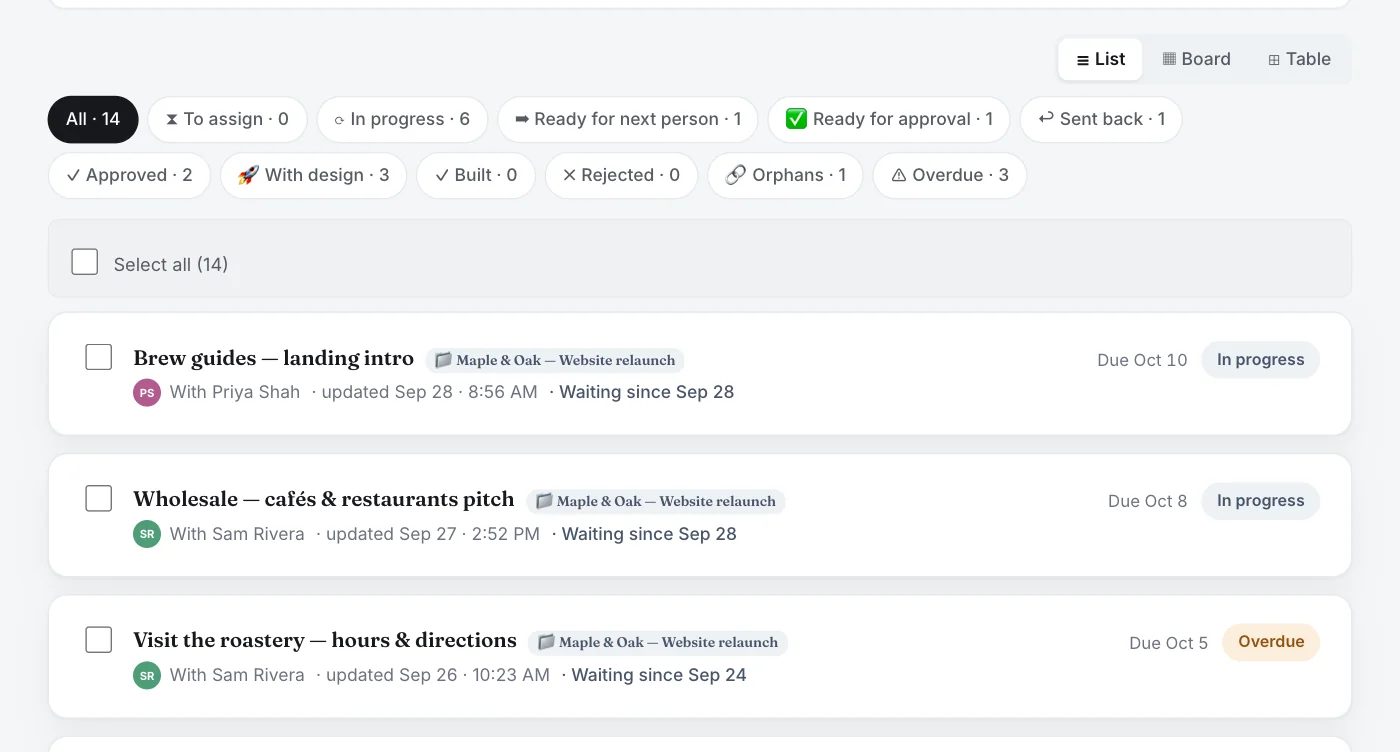
Assign a page — or a whole section — to a writer in one step. They get an email, the item tracks itself, and you can see what's late. Then send everyone one update with what changed and what's waiting on each of them.
LiveSign-off with a paper trail
Review, send back, approve. Approval is pinned to the version approved, and every decision is logged with who and when, so “I never approved that” has an answer.
LiveHand off to your build
Hand approved copy to your designer in one step. They see what to build and mark it built, and you see it on every page. There's also a one-click spreadsheet for Framer, Webflow, WordPress or anything else. Direct publish connectors are coming soon.
LiveClient access
Invite a client into just their own project: they see that project's sitemap, copy, Board and comments, never your other clients' projects or work. Keep clients on the User role with the Client job role; make them an approver if they sign off, and @mention them on the copy itself. No-account review links are coming soon.
Priced per workspace, not per seat.
$19/month per workspace includes unlimited people and unlimited projects — your whole team and your freelancers. No seat math. While spots last, Founding Members lock in $7.99 a month per workspace, billed yearly.
Working with clients? Invite them into their project, so they can review the copy where everyone else works on it, and approve it if you give them the approver role.
Start free trialThe short answers.
Is DraftBay built for web agencies?
Yes. Each client site runs as its own project in your workspace, with its own sitemap, copy, Board and sign-off trail. The price is per workspace, so your team, writers and freelancers don't add seats.
How do I get website content from clients with DraftBay?
Map the pages, then request copy for each page or a whole section from whoever is writing it. DraftBay tracks who has each piece, sends email reminders and shows what's late, so you stop chasing by hand. You can also send the team one update email, or schedule it daily, on weekdays or weekly.
Can clients approve copy in DraftBay?
Yes, if they have a login in your workspace: give them the approver role and every decision is logged with who and when. Add them only to their own project: they see that project's sitemap, copy, Board and comments, never your other clients' projects or work. Review links that work without an account are coming soon.
Can our writers keep using Google Docs?
Yes. Copy can live anywhere with a link, such as Google Docs, SharePoint or Word online. DraftBay tracks its status, comments and sign-off. If it's in Microsoft 365, share it with your team or upload the file; DraftBay reminds you next to those links.
What happens when someone on a client project leaves or changes role?
Choose “Hand over work…” on them in your team list. Pick who takes over, which roles and which projects, and see exactly what moves before anything changes: their open copy, the pages and Board items they look after, and their place on scheduled team updates. The new person gets an email saying what to start with. Every hand-over can be undone for 30 days.
What do we hand to the designer or developer?
A “Your work” list of approved pages to build, each linked to the approved version, and a one-click “Export for designer” spreadsheet with every page, its address, its website version, the approved copy link and redirects. Publish connectors for Webflow, Framer and WordPress are coming soon.
How much does DraftBay cost for an agency?
$19 a month per workspace, with unlimited people and projects, after a 14-day free trial with no credit card. The first 100 paying workspaces can become Founding Members at $7.99 a month per workspace, billed yearly ($95.88), locked in while they stay subscribed. Prices are in US dollars.
Launch client sites on time.
Try it on your next client project — free for 14 days, no credit card.
Start free